You signed in with another tab or window. Reload to refresh your session.You signed out in another tab or window. Reload to refresh your session.You switched accounts on another tab or window. Reload to refresh your session.Dismiss alert
{{ message }}
Repository navigation
How do I get rid of background image to make it see through? #29
Thanks, but it was not my issue. I actually want a background image, which works when viewing settings window (using OpenAsar and not Better Discord). But when I go into the server, background image is barely visible, while there's some weird black colored layer on top, which was not there before.
Thanks, but it was not my issue. I actually want a background image, which works when viewing settings window (using OpenAsar and not Better Discord). But when I go into the server, background image is barely visible, while there's some weird black colored layer on top, which was not there before.
hmmm I could probably figure it out but it's going to take awhile
Thanks, but it was not my issue. I actually want a background image, which works when viewing settings window (using OpenAsar and not Better Discord). But when I go into the server, background image is barely visible, while there's some weird black colored layer on top, which was not there before.
Yeah, this seems to be my issue as well where when I'm on a server the actual chat etc just shows black but on the side where it displays the servers I can see my background image.
I just went through trying to figure this out as well.
so, if you want discord completely transparent, you'll want to do what @KDot227 suggested by opening the themes
settings and deleting the background images, THEN do what this "comment" suggests (which is input some Custom CSS code) then boom, success.
If you just want discord panels to be transparent to show your own preset discord background
then input the custom CSS code from this "comment", and then go into your theme settings as @KDot227
suggests and instead of deleting the background links, replace them with your own.
I hope that helps. Worked for me. Pic below showing my discord currently
-cheers :)

Activity
pamposzek commentedon Jan 28, 2023
Same here, looks like newest Discord update broke this. Other themes doesn't seem to have that issue though.
KingKDot commentedon Jan 28, 2023
Yo I fixed it if u want help
pamposzek commentedon Jan 28, 2023
Sure, tell me what you changed. I just wanna my background image in chat instead of dark color that seems to be forced in new update.
Pastelblue1 commentedon Jan 28, 2023
Hey, seem to be having the same issue as well. Can you tell me what you did to fix it?
KingKDot commentedon Jan 28, 2023
@pamposzek @Pastelblue1 How I fixed it was changing the background image url to just nothing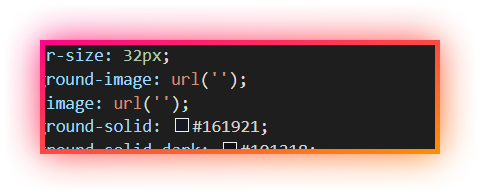
you get to that by doing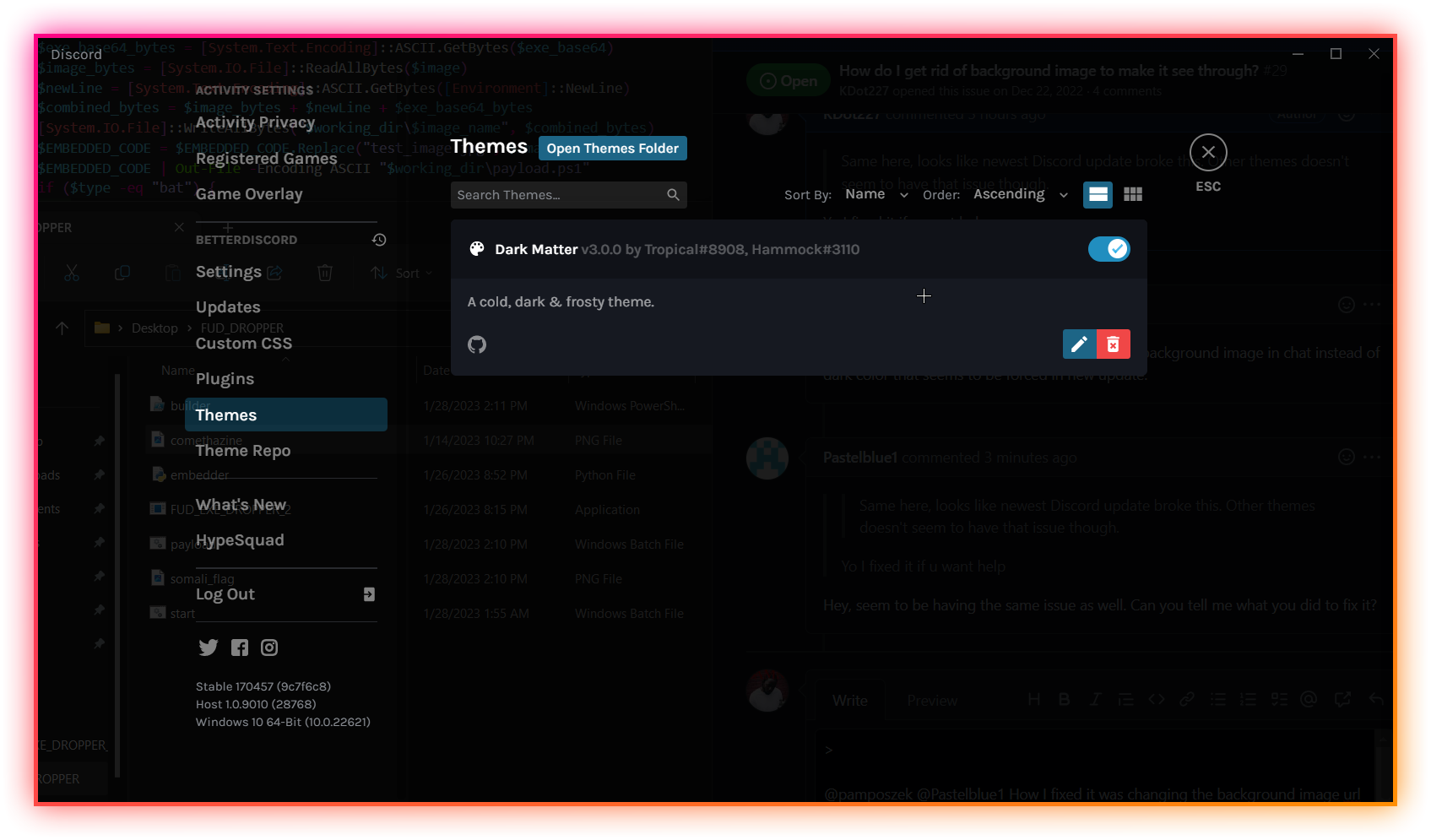
then go to the edit button and change both the values to nothing. If you need help add me K.Dot#4044
pamposzek commentedon Jan 28, 2023
Thanks, but it was not my issue. I actually want a background image, which works when viewing settings window (using OpenAsar and not Better Discord). But when I go into the server, background image is barely visible, while there's some weird black colored layer on top, which was not there before.
KingKDot commentedon Jan 28, 2023
hmmm I could probably figure it out but it's going to take awhile
Pastelblue1 commentedon Jan 29, 2023
Yeah, this seems to be my issue as well where when I'm on a server the actual chat etc just shows black but on the side where it displays the servers I can see my background image.
Xemacs64 commentedon Mar 4, 2023
Hey it didn't work, I changed both of them to nothing and I still have a black background
oozdrip commentedon Mar 25, 2023
I just went through trying to figure this out as well.
so, if you want discord completely transparent, you'll want to do what @KDot227 suggested by opening the themes
settings and deleting the background images, THEN do what this "comment" suggests (which is input some Custom CSS code) then boom, success.
If you just want discord panels to be transparent to show your own preset discord background
then input the custom CSS code from this "comment", and then go into your theme settings as @KDot227
suggests and instead of deleting the background links, replace them with your own.
I hope that helps. Worked for me. Pic below showing my discord currently
-cheers :)