

Rescue whole websites from the Wayback Machine.





Wayback-Archive is a command-line tool that downloads an archived website from the Wayback Machine and rebuilds it as a folder you can open offline. It fetches every page and asset it can find in the snapshot, rewrites the links to local paths and removes the Wayback Machine's own toolbar, scripts and URL prefixes, so the copy looks like the site did on that day. wget --mirror and httrack do not understand Wayback Machine URLs; this does.
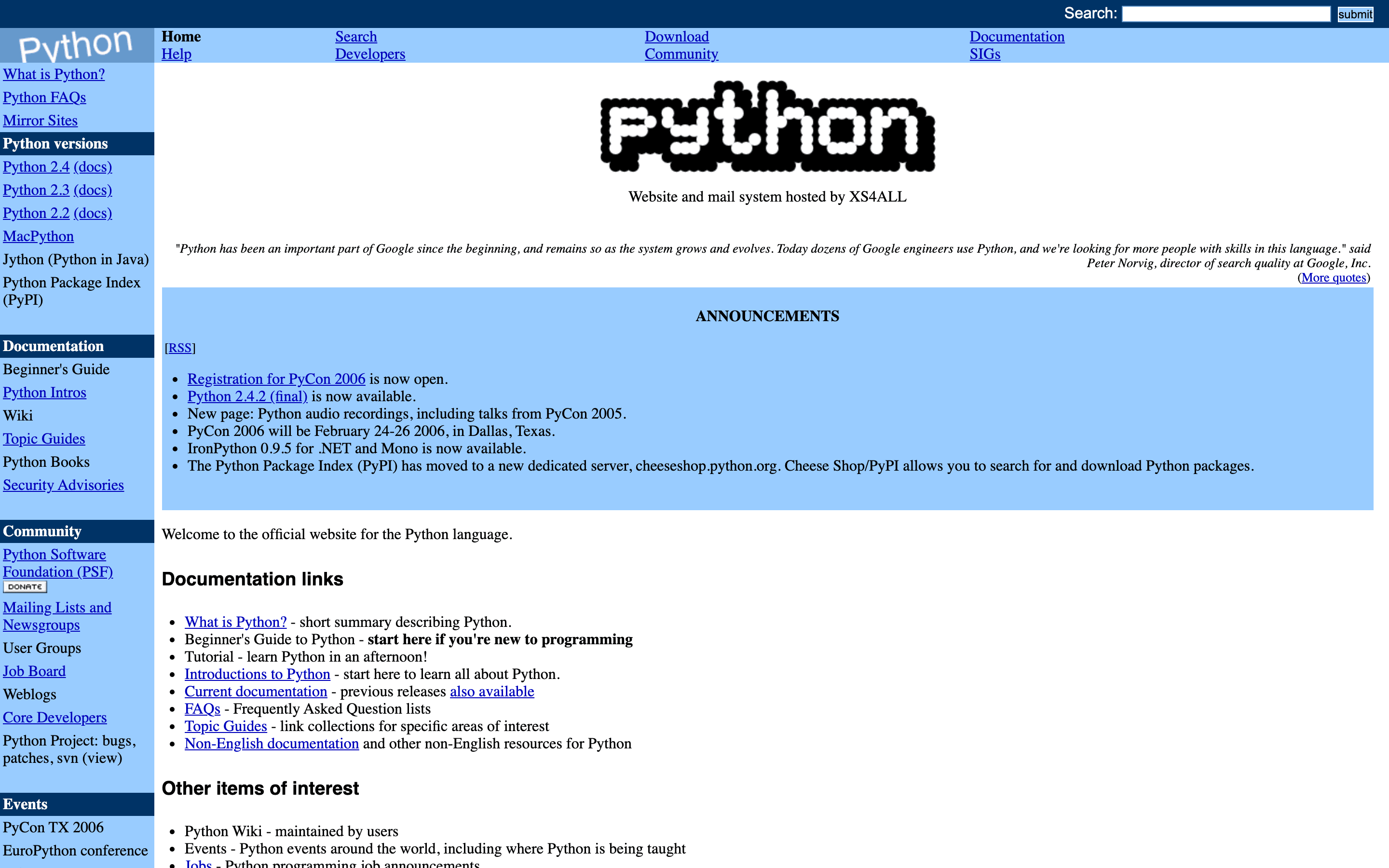
- Saves HTML, CSS, JavaScript, images and fonts, following links in HTML, CSS and JavaScript until nothing is left to fetch.
- Every link in the copy points at the local file, so pages open and lead to each other without the Wayback toolbar or its URL prefixes.
- A page or file missing from the snapshot is looked up at up to three other Wayback timestamps (a day either side and a week earlier) before it is given up on.
- A capture that is an archived error or a Cloudflare challenge page is replaced with the nearest good capture.
- Google Fonts are saved locally, and a font the archive returns as an HTML error page is dropped instead of breaking the page.
- Pages still work when the archive lost jQuery: a copy is fetched from
code.jquery.cominstead. - Social icon groups, button links and cookie banners keep working in the copy.
- Analytics and ads are stripped by default; external iframes too, with
REMOVE_EXTERNAL_IFRAMES=true. - Optional HTML, CSS, JavaScript and image minification for a smaller folder.
pipx install wayback-archive
WAYBACK_URL="https://web.archive.org/web/20051231235226/http://www.python.org/" MAX_FILES=50 wayback-archive
open output/index.html                     # Linux: xdg-open output/index.html
Use 1.5.0 or later: in 1.4.6 and earlier an archived page can make the tool fetch any host directly and save the response (#55), and pipx upgrade wayback-archive moves an existing install (one made with Python 3.9 needs pipx reinstall --python python3.10 wayback-archive instead). Needs Python 3.10 or newer (pip on 3.9 finds no release it can install); pip install works too, and the other install paths are in Getting started. That run takes about a minute, ends with a Download Complete! block counting the files downloaded, failed and skipped, and opens from disk as the page above: the homepage, its stylesheet and its images are all within the first 50 files. Drop MAX_FILES to fetch the whole site. On another site a short run can stop before a stylesheet that is only reached through @import, because the crawl fetches files in the order it finds them. There are no flags: every setting is an environment variable, listed in Configuration.
The full documentation is at https://geiserx.github.io/Wayback-Archive/.
- Getting started: pipx, pip or a checkout, and the first run
- Configuration: every environment variable and its default
- Usage: macOS, Linux and Windows shells, the quick test, opening the copy
- Features: the full list and the comparison with wget and httrack
- How it works: the crawl steps, the fallbacks and the project layout
- Troubleshooting: fonts, missing icons, libraries that do not load
- Development: tests and contributing
- Related projects: the other Wayback tools
Wayback-Diff, Way-CMS, web-mirror, media-download, n8n-nodes-way-cms (archived).