


Components for building inline terminal apps in Rust on top of ratatui.
Most TUIs take over the whole screen. kiln keeps a small live pane at the bottom of the terminal and prints everything else into the terminal's own scrollback, so scrolling, mouse selection, copy, and search all work the way they do in the shell.
I built these pieces for the Aster coding agent and its chat client, cinder, then pulled them out so other CLIs can use them without copying files around.
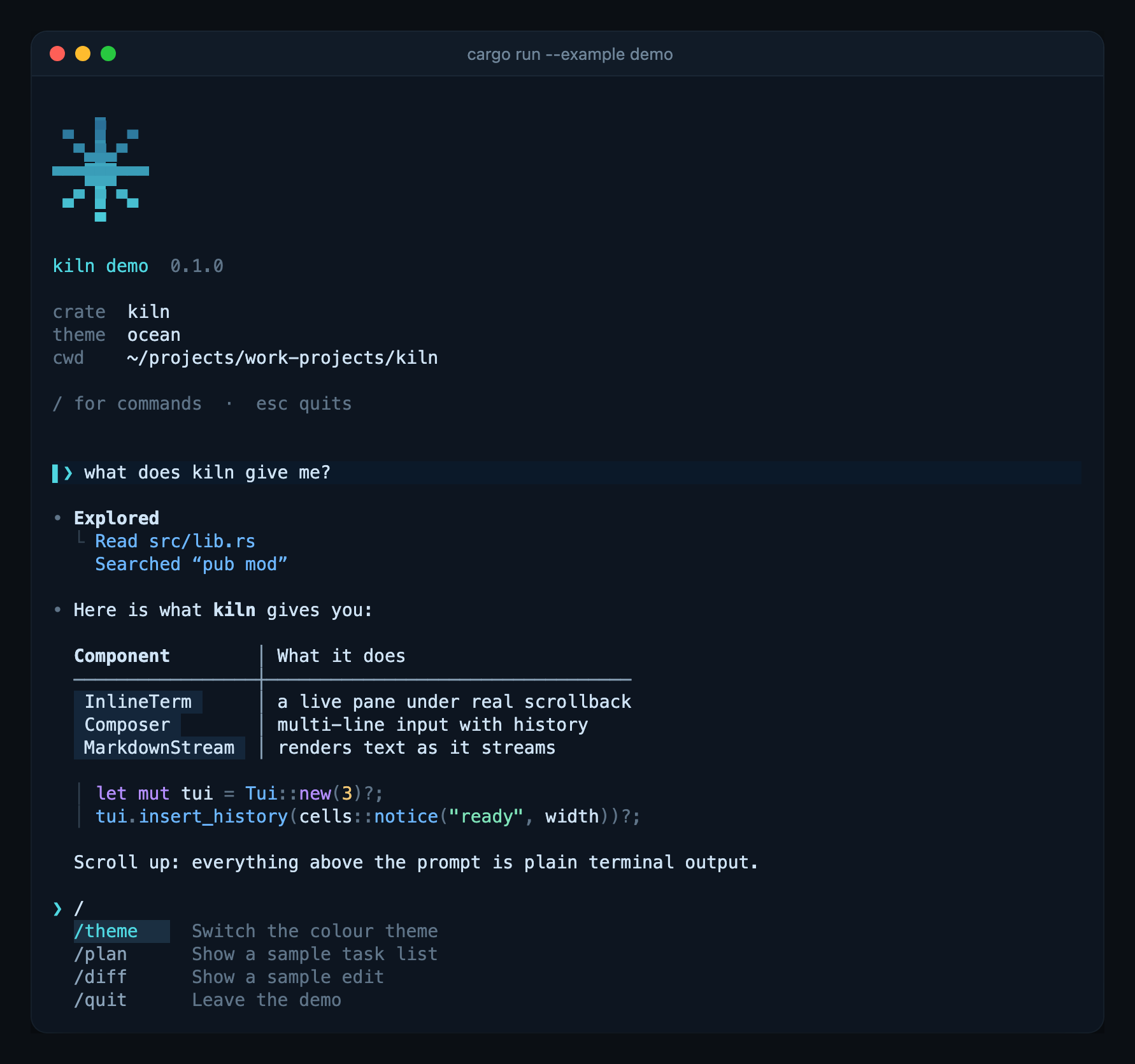
InlineTermdraws a live pane under your output and moves finished lines into real scrollback. The pane stays under the transcript through resizes and terminal reflow.Composeris a multi-line prompt with word motions, kill commands, history, and folding for large pastes.MarkdownStreamrenders text while it streams: tables, lists, quotes, and highlighted code.cellshas ready-made blocks for messages, replies, errors, tool output, task lists, and diffs.- There is a filterable picker, a slash-command menu, and a queue for allow/deny prompts.
- 16 built-in themes. Switching blends the colours over 450 ms.
Renderableanswers "how tall?" and "draw" from the same object, so layout and drawing never disagree.TuiGuardputs the terminal back on panic, early return, or normal exit.
kiln is not on crates.io yet. Add it from Git:
[dependencies]
kiln = { git = "https://github.com/Zfinix/kiln", tag = "v0.3.0" }
kiln needs Rust 1.88 or newer (edition 2024). Tui runs on
tokio. If you want a synchronous loop, use InlineTerm
directly.
use kiln::cells;
use kiln::composer::Composer;
use kiln::guard::TuiGuard;
use kiln::render::Renderable;
use kiln::terminal::{Tui, TuiEvent, restore_raw};
use crossterm::event::KeyCode;

#[tokio::main]
async fn main() -> anyhow::Result<()> {
    let _guard = TuiGuard::install(restore_raw);
    let mut tui = Tui::new(3)?;
    let mut composer = Composer::default();

    loop {
        let width = tui.width();
        let (lines, _cursor) = composer.render(width, "Say something");
        tui.draw(lines.desired_height(width), |frame| {
            lines.render(frame.area(), frame.buffer_mut());
        })?;

        match tui.next_event().await {
            TuiEvent::Key(key) => match key.code {
                KeyCode::Esc => break,
                KeyCode::Enter => {
                    let text = composer.take();
                    tui.insert_history(cells::user(&text, width as usize))?;
                }
                KeyCode::Backspace => composer.backspace(),
                KeyCode::Char(c) => composer.insert(c),
                _ => {}
            },
            TuiEvent::Paste(text) => composer.paste(&text),
            TuiEvent::Resize => tui.resized()?,
            TuiEvent::Mouse(_) | TuiEvent::Draw => {}
        }
    }
    Ok(())
}
Each message you send goes into scrollback above the prompt and stays there after the program exits.
| Module | What it gives you |
|---|---|
term |
InlineTerm, the inline viewport, and insert_lines to print into scrollback |
terminal |
Tui: raw mode, async events, bracketed paste, and frame scheduling on top of InlineTerm |
guard |
TuiGuard, which restores the terminal on drop and on panic |
composer |
Composer, the multi-line prompt editor |
markdown |
MarkdownStream for streamed text, render for text you already have |
syntax |
a small highlighter for code blocks in any language |
cells |
transcript blocks: user, assistant, notice, error, error_box, tool, plan, patch, header, and more |
list |
ListSelectionView, a filterable picker with an optional hover hook |
menu |
Menu, the slash-command list, drawn with Menu::lines |
approval |
Approvals, a queue of allow/deny requests, drawn with Approvals::lines |
status |
StatusWidget, a spinner with an activity label and elapsed time |
render |
Renderable, Column, Inset, Insets |
view |
View, the trait for modal panes that take the keyboard |
theme, palettes |
the active theme, the built-in palettes, and animated switching |
mark |
half-block logos tinted with the theme gradient |
bigtext |
three-row block digits for timers and readouts |
spark |
a one-row history chart |
progress |
a bar filled with the theme's gradient, to an eighth of a cell |
install |
uv-style install output: a spinner with a count, a bar per download, then Installed 3 packages in 174ms and + name==version lines |
keys |
the q quit · ? help footer and the full help list |
confirm |
a yes/no question, like gum confirm, that starts on the safe answer |
input |
a one-line field with a character limit and counter, like gum input |
wrap, text |
Unicode-aware wrapping and clipping, count and duration formatting, and to_ansi to print cells without a viewport |
Every example runs offline except chat. Run one with cargo run --example <name>.
A scripted tour: type a message and a reply streams in, then try /theme,
/plan, and /diff. It is the screenshot at the top of this page.
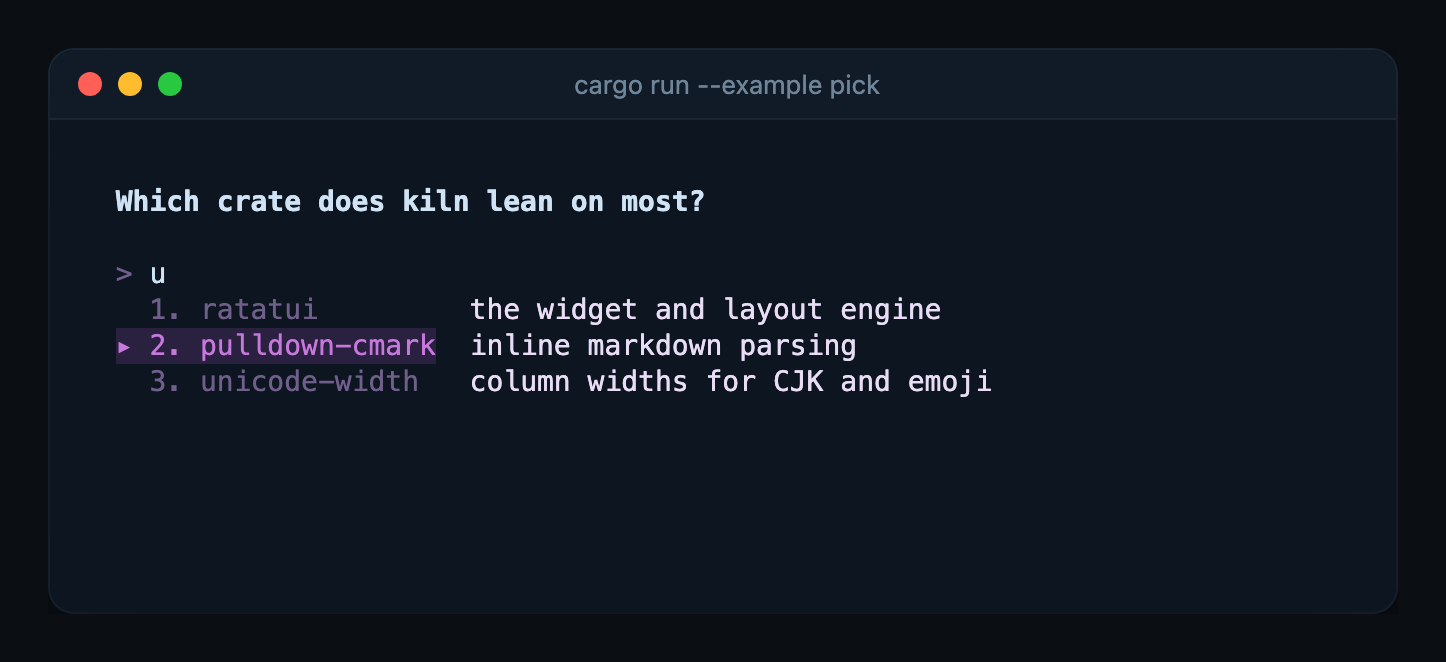
A one-question picker, like gum choose. Pass options as arguments, type to
filter, press a number or enter. The pane draws on the terminal even when
stdout is captured, so it works in scripts:
choice=$(cargo run -q --example pick -- rust go zig).
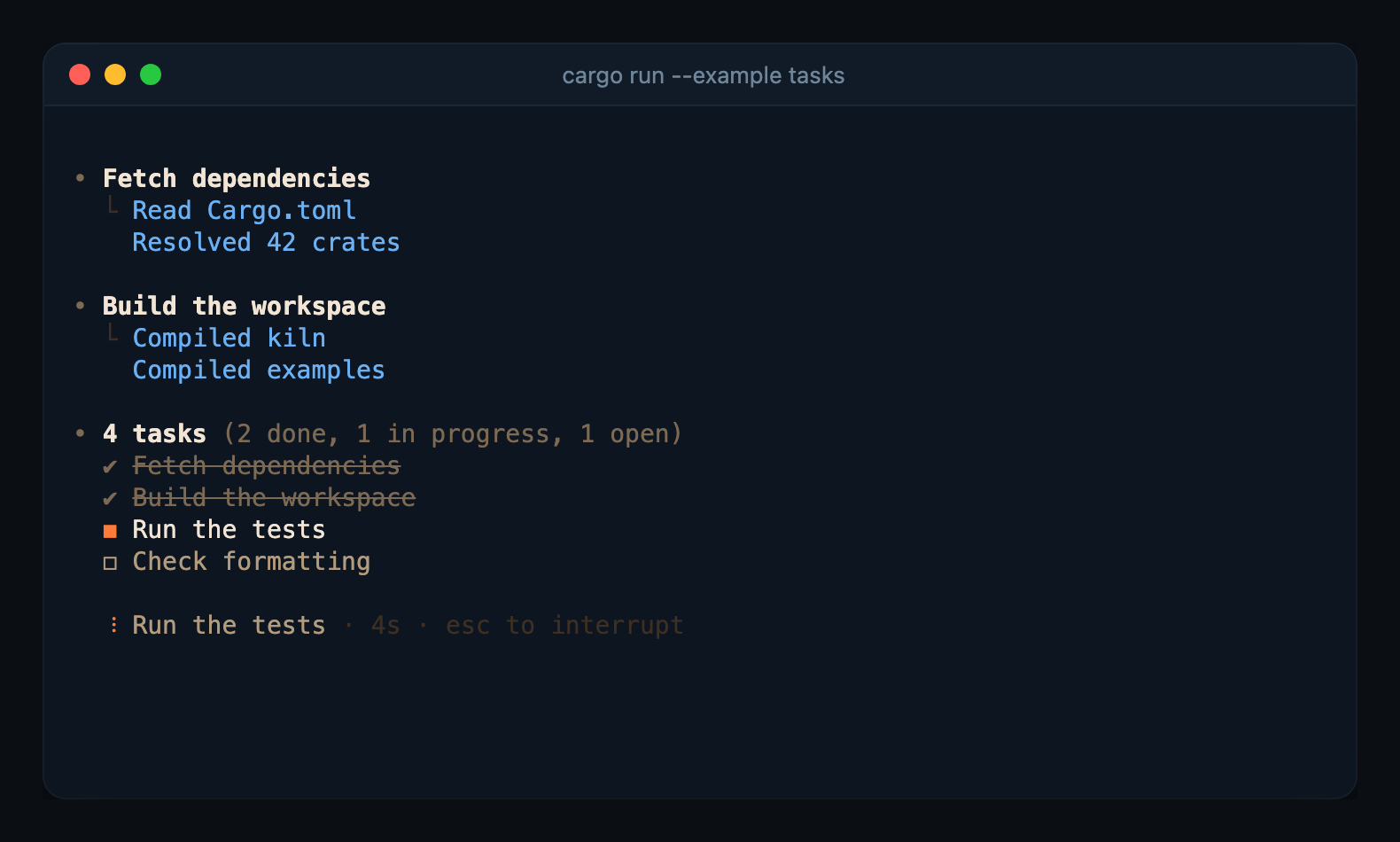
A task runner. The plan and a spinner stay live in the pane while steps run. Finished steps and their output go into scrollback, and a failed step ends in an error box.
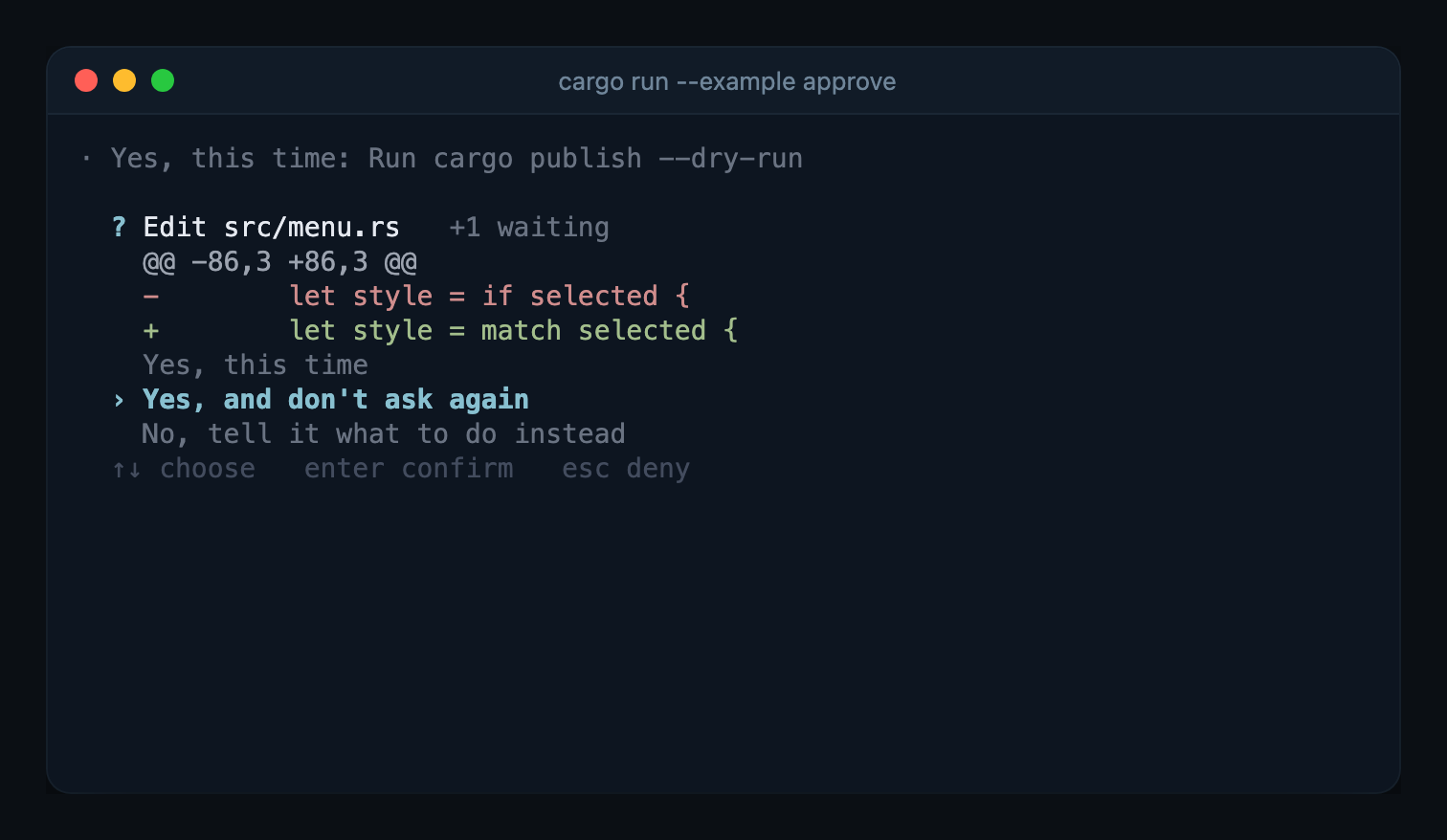
Permission prompts. Requests that arrive while one is open wait in a queue, and the one-time allow is always preselected.
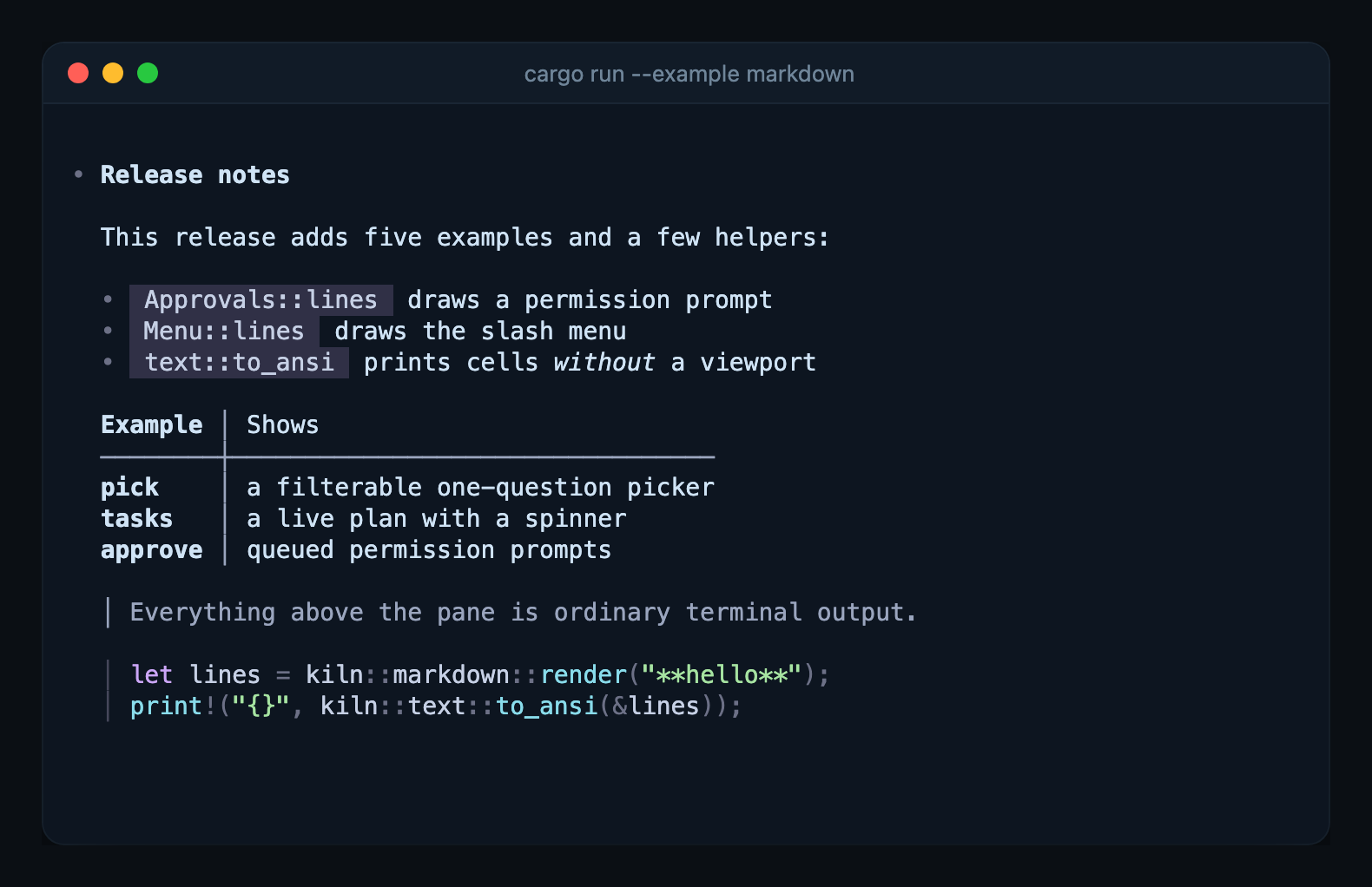
Streams a markdown file into scrollback a few words at a time, the way a model
reply arrives. This one has no async runtime; it drives InlineTerm directly.
Pass a path to render your own file: cargo run --example markdown -- README.md.
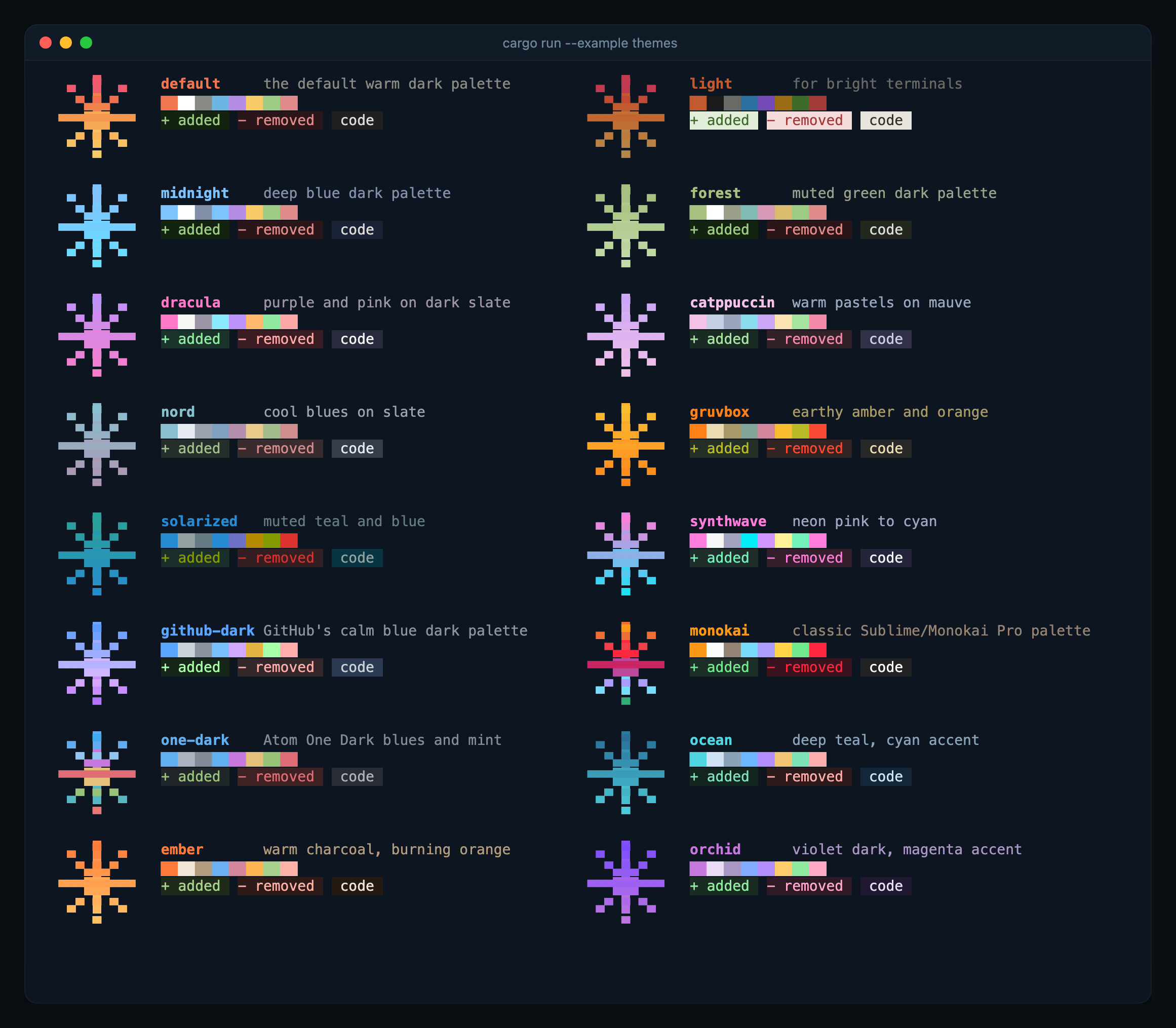
All 16 built-in themes, printed with text::to_ansi. It uses no raw mode and
no viewport, which is all a one-shot CLI needs.
A pretend package install drawn the way uv tool install draws one: a
spinner while resolving, a thin bar per download, then a summary and the
+ name==version list. It prints to stderr with no raw mode, and falls back
to plain lines when stderr is piped.
A full chat client for any agent that speaks the
Agent Client Protocol. It starts aster acp
by default. Use --agent <command> to pick another agent and --theme <name>
to change the colours.
default, light, midnight, forest, dracula, catppuccin, nord,
gruvbox, solarized, synthwave, github-dark, monokai, one-dark,
ocean, ember, orchid.
if let Some(entry) = kiln::theme::named("nord") {
    kiln::theme::set(entry.theme);
}
Every component reads colours from theme::get(), so a switch applies
everywhere on the next frame.
The terminal owns everything above the pane. kiln never redraws it. When a
block is finished, InlineTerm scrolls it into scrollback with a scrolling
region and records how wide each row was printed. After a resize, those widths
tell it where the terminal's reflow left the end of the transcript, so the pane
goes back directly under it with no blank bands or clipped rows. The tests in
src/tests/term_test.rs check this against a simulated terminal.
- tock: a pomodoro timer in your terminal
- pulse: internet speed in your terminal
- ship: conventional commits in your terminal
All of them live together in kiln-tools.
- Codex CLI. Its TUI is where the shape comes from: an inline viewport that writes finished output into real scrollback, a bottom pane with stacked views, and a list selection view.
- Charm.
pickis modelled on gum choose, and the overall polish aims for what Bubble Tea apps get right. - ratatui, which kiln is built on. The viewport in
src/term.rsstarted from itsTerminal.
Bug reports and pull requests are welcome. Before opening a PR, run:
cargo fmt --check
cargo clippy --all-targets -- -D warnings
cargo test
CI runs the same checks on Linux, macOS, and Windows.
Licensed under the Apache License, Version 2.0.
src/term.rs is derived from ratatui's Terminal
(MIT, © the Ratatui
Developers).