


go-certi is a Go rewrite and significant feature expansion of the original Python t0mer/certi project: an SSL/TLS Certificate Transparency log monitor that tracks certificates issued for the domains you care about and alerts you when something new appears, is about to expire, expires, is revoked, or comes from a different CA.
It is aimed at homelab users and small teams who want to know when anyone issues a certificate for their domains, without running a heavy monitoring stack.
- Overview
- Features
- How It Works
- Screenshots
- Requirements
- Installation
- Configuration
- Running as a System Service
- Usage
- Notification Events
- Notification Channel Config
- Certificate Transparency Sources
- Application Updates
- API Reference
- Security Notes
- Troubleshooting
- Development
- Tech Stack
- Contributing
- Credits
- License
go-certi watches Certificate Transparency logs for your domains. Every time a new certificate is issued (by Let's Encrypt, a commercial CA, or anyone else), go-certi discovers it, stores it, and notifies you through the channel of your choice. It runs as a single statically linked binary with an embedded SQLite database and an embedded React web UI.
- CT log monitoring: fetches certificates from the SSLMate Cert Spotter API (primary) with crt.sh as a fallback. Works anonymously; an optional API key unlocks higher Cert Spotter rate limits.
- Subdomain coverage: each monitored FQDN can optionally include all of its subdomains.
- Scheduler: cron-based scan schedules (
@every 2h,@daily, or 6-field cron expressions with seconds). One schedule is the default; each FQDN can override it. On-demand scans are available from the UI and the API. - Configurable notification events per domain:
- 🆕 New certificate issued: a previously unseen certificate appears in CT logs
- ⏳ Expiring soon: a certificate expires within a configurable number of days (default: 10)
- ❌ Expired: a certificate has passed its expiry date
- 🚫 Revoked: a certificate is marked as revoked by Cert Spotter
- 🔄 CA changed: a newly discovered certificate comes from a different Certificate Authority than the previous one
- Notification channels: reusable targets that multiple domains can share:
- 🔔 Shoutrrr: Telegram, Slack, Discord, email, and many more services
- 💬 GreenAPI: WhatsApp via green-api.com
- 💬 WaWeb: WhatsApp via go-whatsapp-web-multidevice
- A Test button (and API endpoint) sends a sample notification to verify delivery.
- Certificate details: stores and displays CN, SANs, issuer (friendly name + full DN), issue date, expiry date with countdown, revocation status, and CT source. Filter by FQDN and search by CN, SAN, or CA.
- Web UI: mobile-first React + Tailwind UI with a light/dark/system theme.
- REST API: every UI action is backed by a
/api/v1endpoint, documented with Swagger UI at/swagger/index.html. - Auth: optional UI login (bcrypt password, JWT in an HttpOnly cookie) and optional API token protection. Both are off by default for homelab use. Currently neither can be relied on (the JWT signing key is fixed in the source); see Security Notes.
- Self-update: checks the latest GitHub release and can download it, replace the running binary, and restart in place.
- System service: install/uninstall/start/stop/restart/status as a native service (systemd, SysV, Upstart, Windows SCM, launchd).
- Single binary: embedded SQLite database (pure Go, no CGO) and embedded frontend. No external runtime dependencies.
- Release binaries for Linux (
amd64,arm64,armv7,armhf(ARMv6),arm(ARMv5)) and Windows (amd64,arm64). - Docker image
techblog/go-certiforlinux/amd64,linux/arm64, andlinux/arm/v7, based on distrolessstatic-debian12:nonroot.
flowchart LR
    subgraph go-certi
        UI[React web UI] --> API[Gin REST API /api/v1]
        API --> DB[(SQLite<br/>go-certi.db)]
        SCHED[Cron scheduler] --> SCAN[Scanner]
        API -- "scan now" --> SCAN
        SCAN --> DB
        SCAN --> NOTIFY[Notification dispatcher]
    end
    SCAN -- primary --> CS[SSLMate Cert Spotter API]
    SCAN -- fallback --> CRT[crt.sh]
    NOTIFY --> SH[Shoutrrr services]
    NOTIFY --> GA[GreenAPI]
    NOTIFY --> WW[WaWeb]
- On startup, every enabled FQDN is registered with the cron scheduler using its own schedule, or the default schedule if it has none (falling back to
@every 2h). - On each run, the scanner queries Cert Spotter; if that request fails (network error, non-200 response, or rate limit), it falls back to crt.sh.
- Certificates not seen before for that FQDN are stored. If notifications are enabled for the FQDN and
new_certis among its notification events, a new certificate notification is sent for each one. - The scanner then checks the stored certificates for expiring soon, expired, revoked, and CA changed events and notifies the FQDN's channels, at most once per certificate and event every 24 hours.
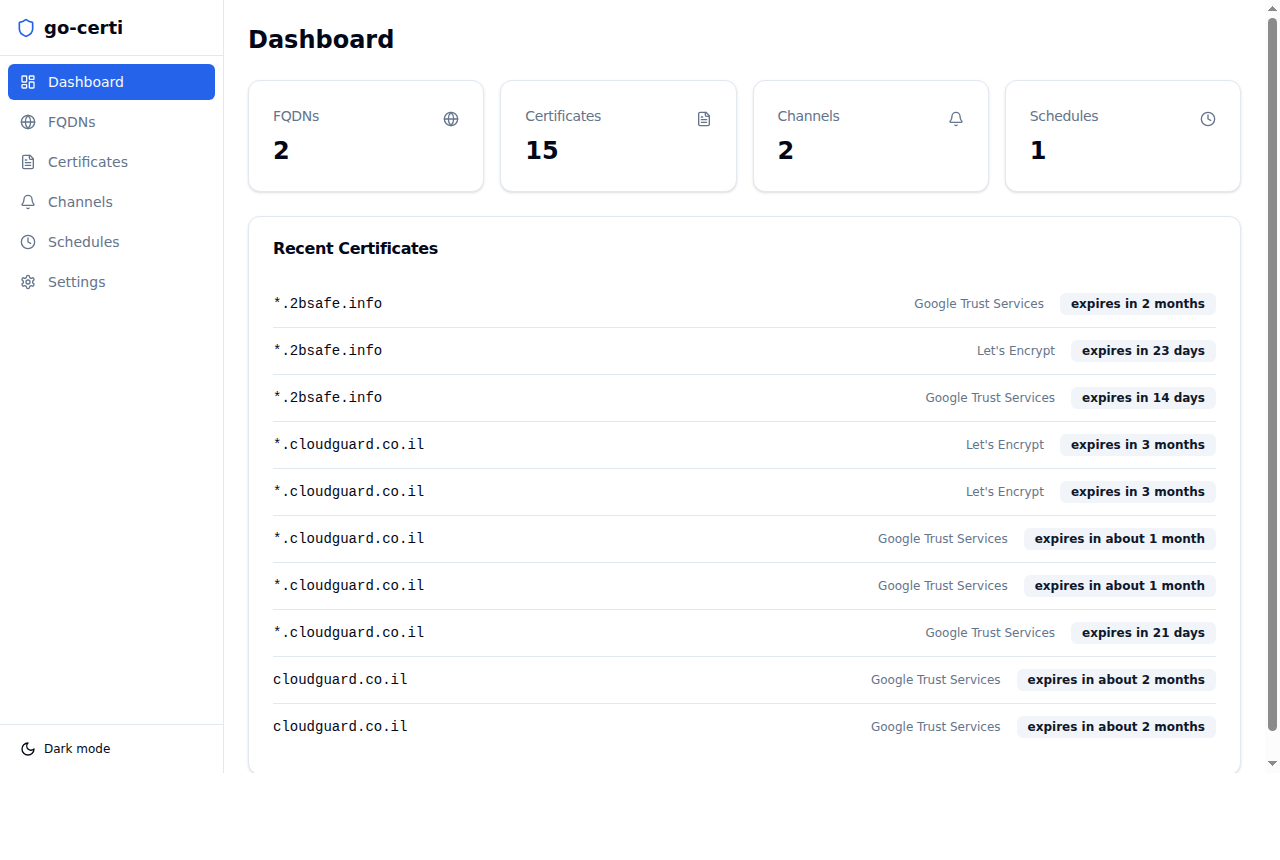
Overview of monitored FQDNs, total certificates discovered, notification channels, and schedules. Recent certificates are listed with issuer and expiry.
Monitor multiple domains. Each domain shows the number of configured channels and active notification events. Click ⚙ to open the configuration panel, where you can select notification channels and choose which events trigger alerts.
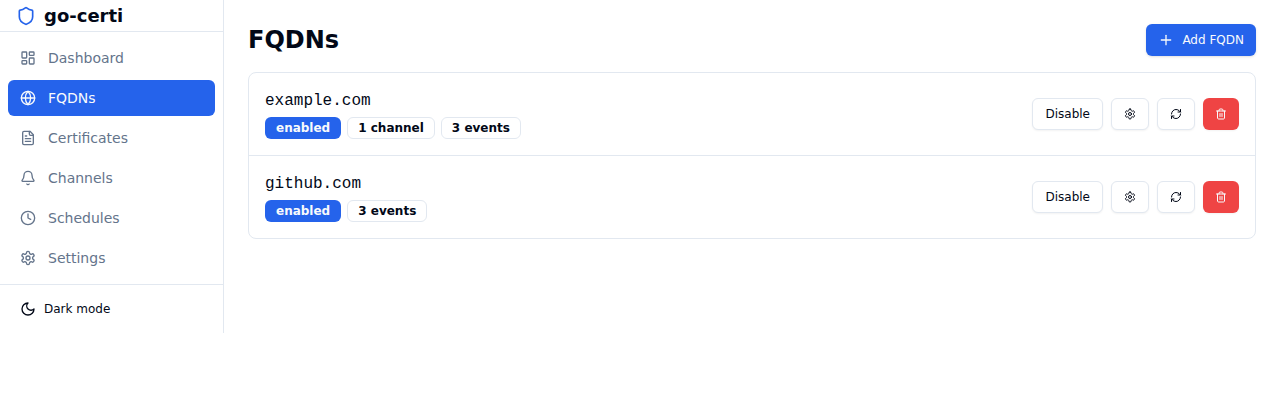
Click the ⚙ gear button on any FQDN to configure:
- Channels: select which notification channels to use for this domain
- Notify on: choose any combination of New certificate, Expiring soon (with a configurable day threshold), Expired, Revoked, and CA changed
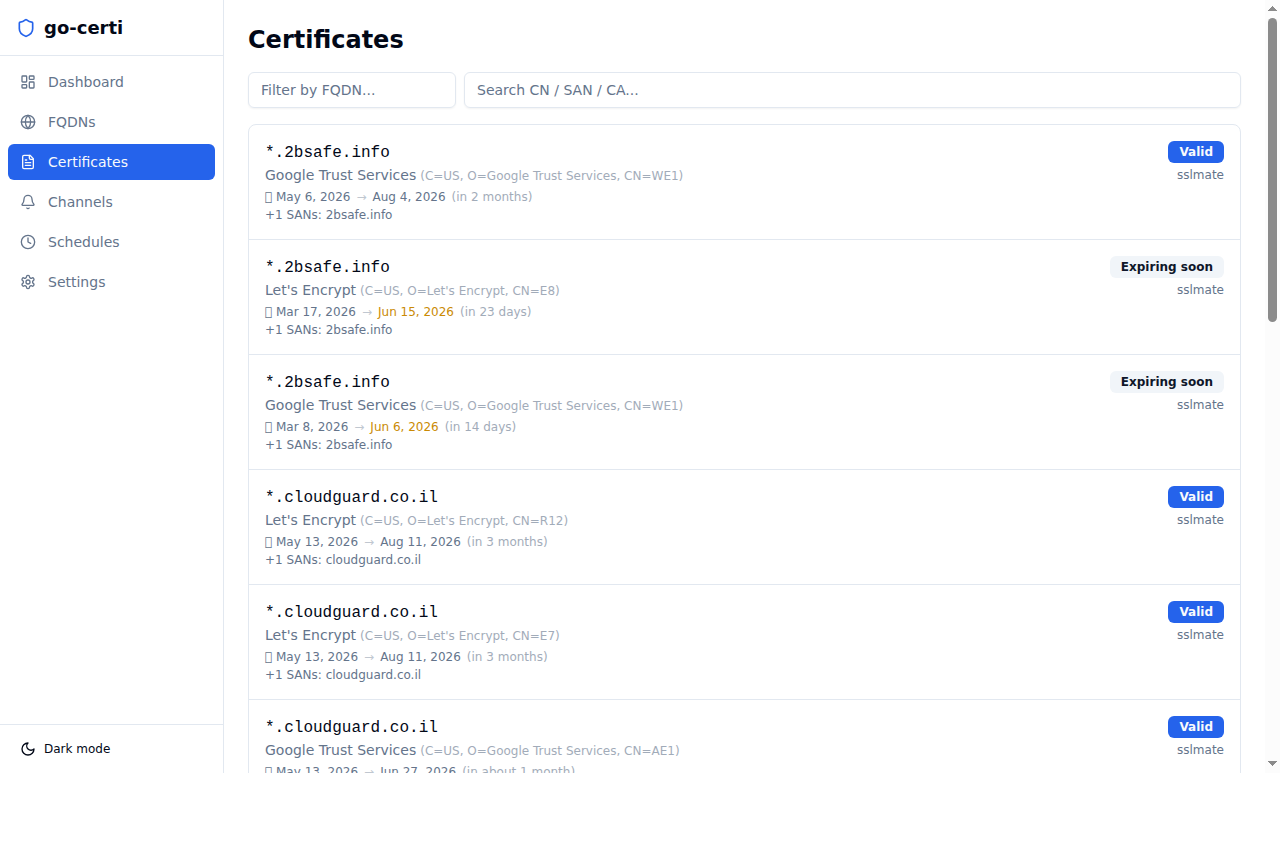
Paginated list of all discovered certificates. Shows subject CN, issuer (friendly name + full DN), issue date → expiry date with a relative countdown, SANs, source, and a Revoked badge when applicable. Filter by FQDN or search by CN/SAN/CA.
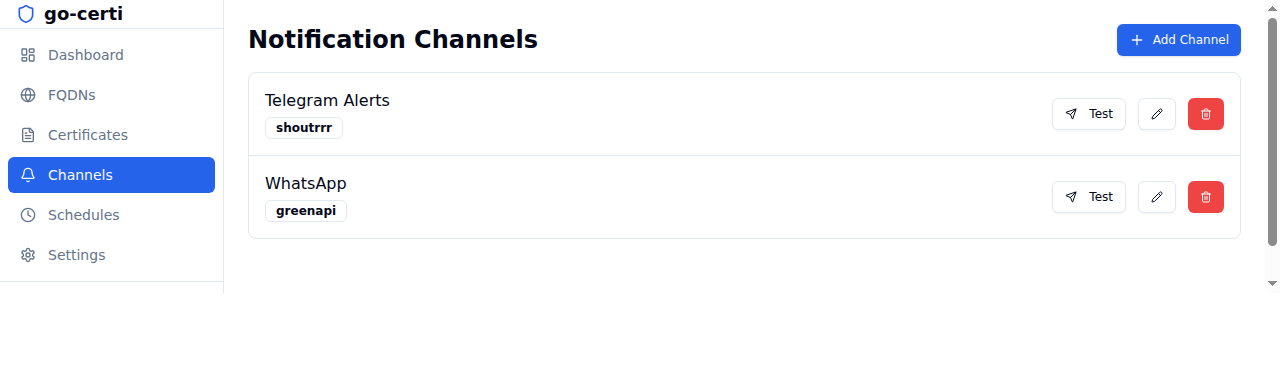
Create and manage reusable notification channels. Each channel has a Test button to verify delivery and a ✏ Edit button to update the name or configuration at any time.
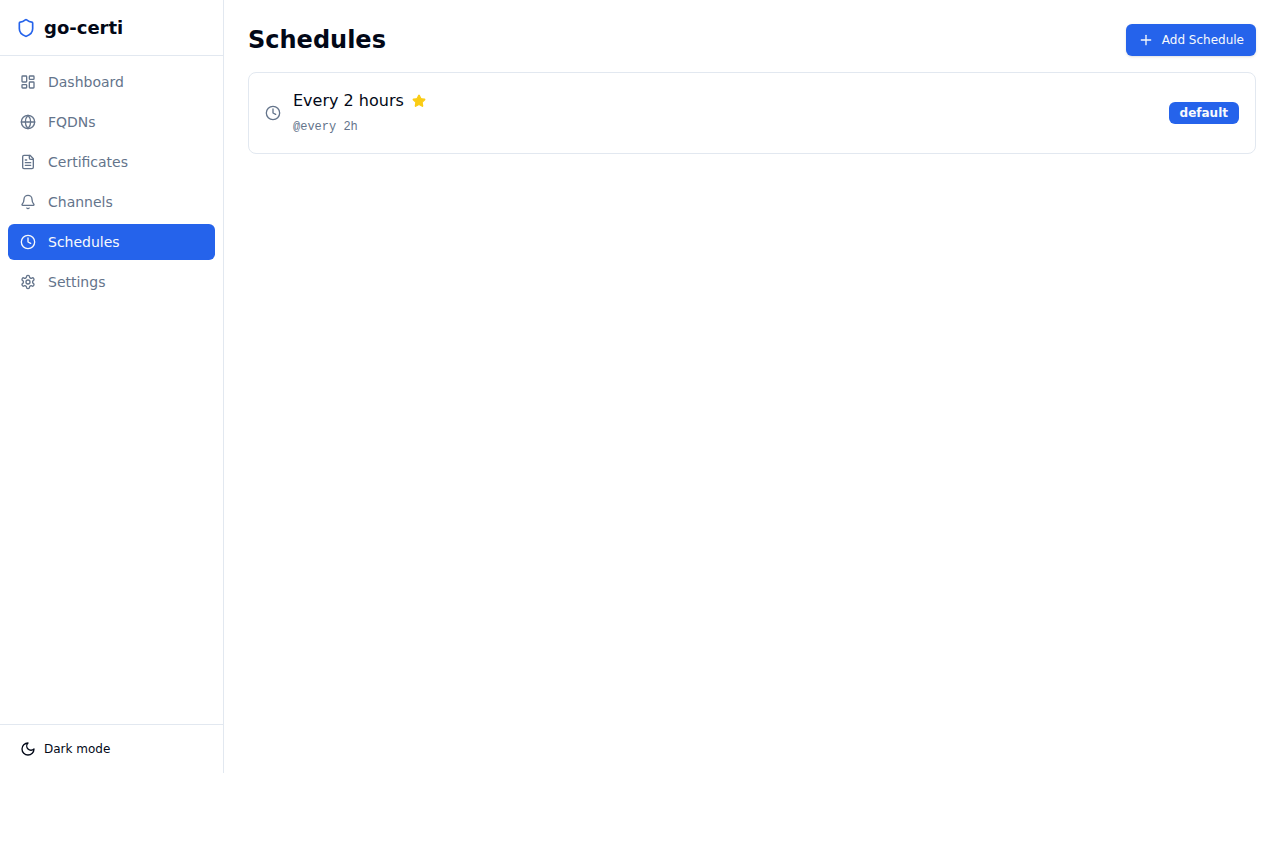
Define cron-based scan schedules (see Schedules and cron syntax). Mark one as the default; FQDNs without a custom schedule inherit it.
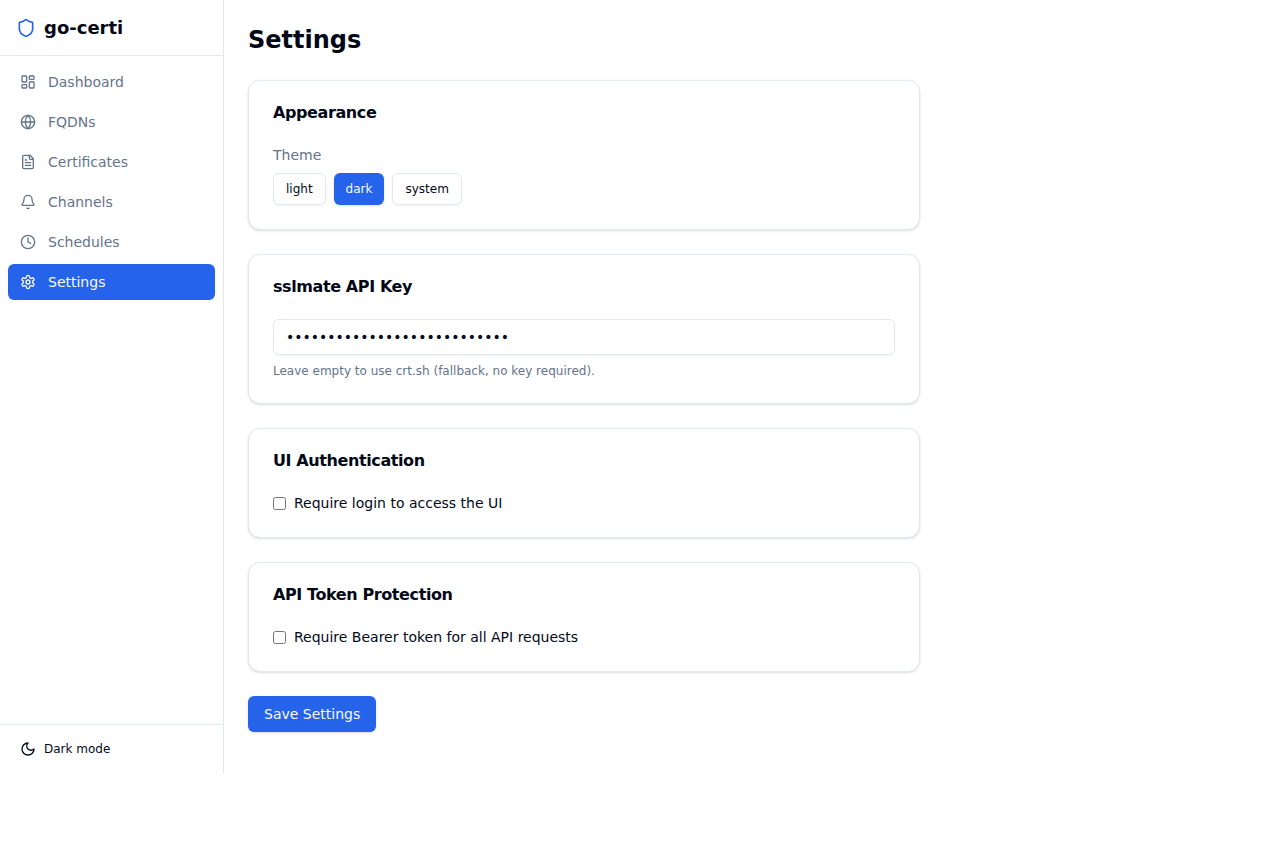
- Theme: Light / Dark / System
- sslmate API key: see Certificate Transparency Sources for how the key is actually applied
- UI Authentication: require login with username + password
- API Token Protection: require
Authorization: Bearer <token>on API requests; rotate the token at any time - Application Updates: shows an enable toggle, an interval (in hours), and a Check now button. Only Check now currently has an effect: the toggle and interval are not saved (see Application Updates).
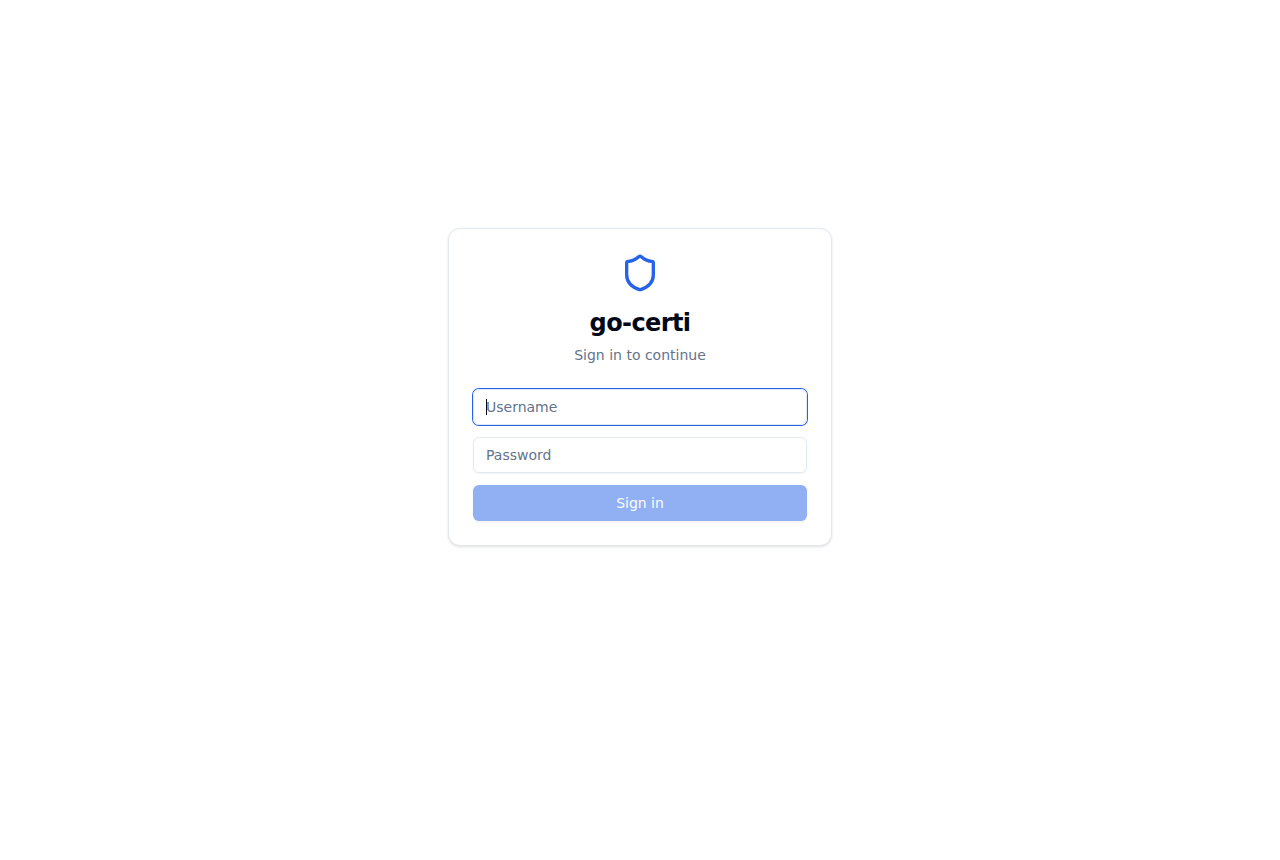
Shown when UI authentication is enabled. Issues a signed JWT in an HttpOnly cookie on success.
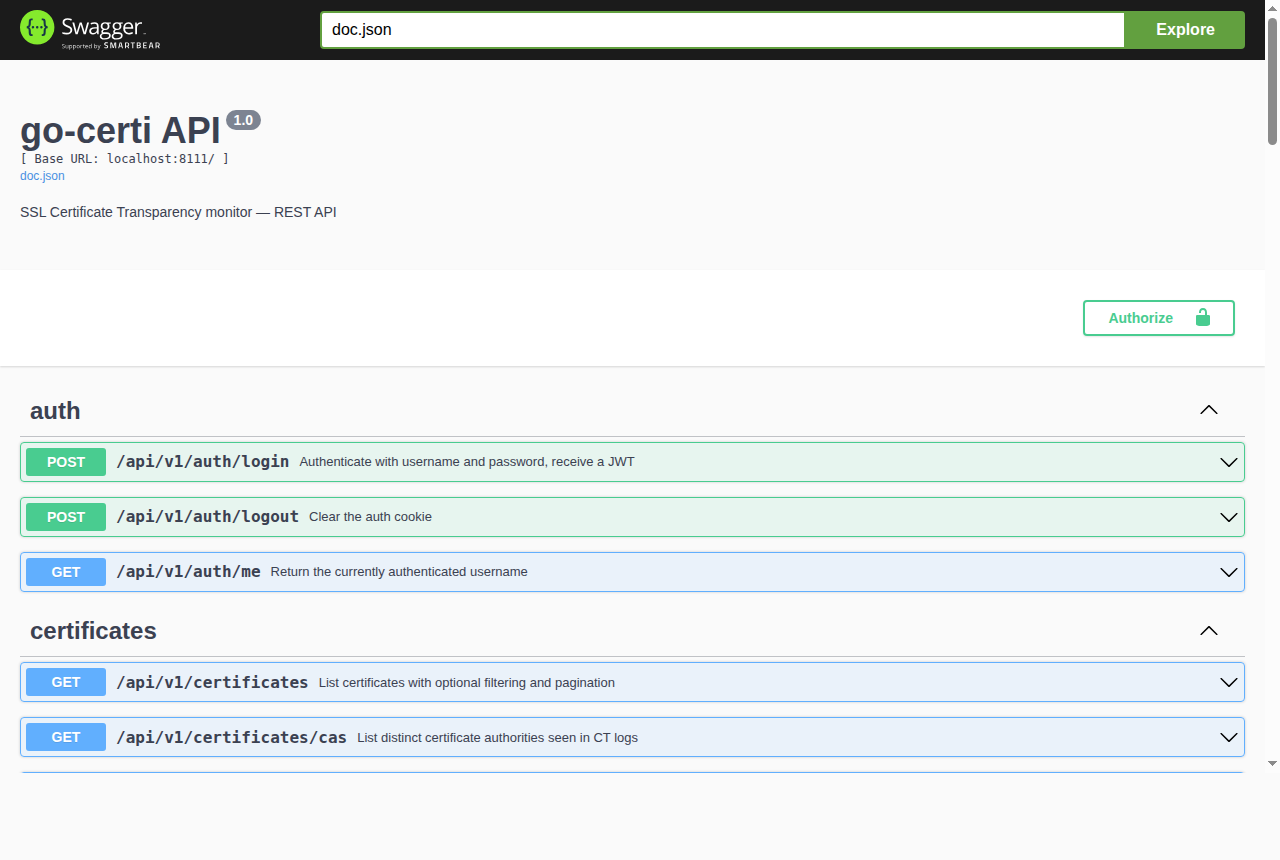
Interactive API documentation, available at /swagger/index.html. The /api/v1/updates/* endpoints are not included in the published spec.
- Runtime: nothing beyond the binary (or Docker). The SQLite database and the web UI are embedded.
- Network: outbound HTTPS to
api.certspotter.comand/orcrt.sh, to your notification providers, and toapi.github.comif you use the update check. - Optional: an SSLMate Cert Spotter API key for higher rate limits.
- Building from source: Go 1.26+ (per
go.mod) and Node.js 20+.
Download the binary for your platform from the GitHub Releases page. Assets are named go-certi_<version>_<os>_<arch> (plus .exe on Windows), for example go-certi_2026.5.0_linux_amd64.
| OS | Asset suffixes |
|---|---|
| Linux | linux_amd64, linux_arm64, linux_armv7, linux_armhf (ARMv6), linux_arm (ARMv5) |
| Windows | windows_amd64.exe, windows_arm64.exe |
No macOS binaries are published; macOS users can build from source.
# Example: Linux amd64 (replace VERSION with the release you want)
VERSION=2026.5.0
curl -L -o go-certi \
  "https://github.com/t0mer/go-certi/releases/download/${VERSION}/go-certi_${VERSION}_linux_amd64"
chmod +x go-certi
./go-certi
Open http://localhost:8111 in your browser.
The image runs as the distroless nonroot user (UID/GID 65532), stores its data in /data, and sets GO_CERTI_CONF=/data.
docker run -d \
  --name go-certi \
  -p 8111:8111 \
  -v go-certi-data:/data \
  techblog/go-certi:latest
Warning
The currently published image (2026.5.0 / latest) has two known issues:
/datais not writable by thenonrootuser, so the container exits withopen /data/config.json: permission denied. Use a host directory owned by UID65532(mkdir data && sudo chown 65532:65532 data, then-v "$PWD/data:/data"), or run the container with--user 0.- The image does not contain the built web UI assets, so the UI loads as a blank page. The REST API and Swagger UI work. Use a release binary if you need the web UI.
services:
  go-certi:
    image: techblog/go-certi:latest
    ports:
      - "8111:8111"
    volumes:
      - ./data:/data                             # must be owned by UID 65532 (see warning above)
    environment:
      GO_CERTI_SSLMATE_API_KEY: "your-key-here"  # optional
    restart: unless-stopped
The repository's own docker-compose.yaml builds the image locally from the Dockerfile instead of pulling it.
See Building from source under Development.
All startup options can be provided as CLI flags or environment variables. Environment variables always win over flags, which is convenient for container deployments. Everything else (domains, channels, schedules, auth, theme) is configured in the web UI or through the API and stored in the database.
| Flag | Env var | Default | Description |
|---|---|---|---|
--port, -p |
GO_CERTI_PORT |
8111 |
HTTP server port (listens on all interfaces, 0.0.0.0) |
--conf |
GO_CERTI_CONF |
see below | Config + database directory |
--sslmate-api-key |
GO_CERTI_SSLMATE_API_KEY |
(none) | SSLMate Cert Spotter API key |
--reset-password |
GO_CERTI_RESET_PASSWORD |
false |
Generate a new UI password, enable UI auth, print the password, and exit |
--reset-api-token |
GO_CERTI_RESET_API_TOKEN |
false |
Generate a new API token, enable API token protection, print the token, and exit |
--service <action> |
GO_CERTI_SERVICE |
(none) | Manage as a system service. See Running as a System Service |
--version |
— | — | Print the version and exit |
--help, -h |
— | — | Print usage and exit |
Notes:
- Boolean env vars (
GO_CERTI_RESET_PASSWORD,GO_CERTI_RESET_API_TOKEN) are enabled only bytrueor1. Empty env vars are ignored. - An invalid
GO_CERTI_PORTvalue is ignored and the flag value is used. - The default
--confdirectory is$XDG_CONFIG_HOME/go-certiifXDG_CONFIG_HOMEis set, otherwise%AppData%\go-certion Windows, otherwise$HOME/.config/go-certi. The Docker image uses/data. - Logs are written to stderr at
INFOlevel through Go's default logger (2026/01/02 15:04:05 INFO message key=value).
Config and the SQLite database are stored in the --conf directory, which is created (mode 0700) on first run:
<conf>/
├── config.json      # Created on first run; the effective port always comes from --port / GO_CERTI_PORT
└── go-certi.db      # SQLite database (WAL mode): settings, FQDNs, certificates, channels, schedules
# Reset the login password (also enables UI authentication)
./go-certi --conf /data --reset-password

# Reset the API token (also enables API token protection)
./go-certi --conf /data --reset-api-token

# Inside the Docker container (GO_CERTI_CONF is already /data)
docker exec go-certi /go-certi --reset-password
Password reset keeps the existing username, so set a username in Settings before relying on it. Don't leave GO_CERTI_RESET_PASSWORD or GO_CERTI_RESET_API_TOKEN set on a long-running container: the process resets the credential and exits on every start.
go-certi can register itself as a native system service on Linux (systemd / SysV / Upstart), Windows (Service Control Manager), and macOS (launchd) via the --service flag. On install, the service is registered and started immediately.
# Install and start: runs the binary at its current path with these args
sudo ./go-certi --service install --conf /var/lib/go-certi --port 8111

# Check status / logs
sudo systemctl status go-certi
sudo journalctl -u go-certi -f

# Uninstall
sudo ./go-certi --service uninstallOpen an Administrator PowerShell or CMD:
# Install (uses the binary's current location)
.\go-certi.exe --service install --conf C:\ProgramData\go-certi --port 8111

# Status
sc query go-certi

# Uninstall
.\go-certi.exe --service uninstall| Action | Description |
|---|---|
install |
Register the service with the OS and start it. The current binary path and the --conf / --port values are baked into the service definition. |
uninstall |
Stop and remove the service. |
start |
Start the service. |
stop |
Stop the service. |
restart |
Restart the service. |
status |
Print whether the service is running, stopped, or unknown. |
- Move the binary first. The service definition stores the absolute path of the binary at install time. If you move or rename the binary, the service breaks; uninstall and reinstall to fix it.
- Permissions.
installanduninstallrequire root on Linux/macOS and Administrator on Windows. - Service user. Defaults to
rooton Linux/macOS andLocalSystemon Windows. To run as a different user, edit the unit file after install or create one manually. - Data directory. The
--confpath is converted to an absolute path at install time. Make sure it is writable by the service user; it is created on first run if it doesn't exist. - Only
--confand--portare stored. Pass other options (such as the Cert Spotter API key) through the service's environment, for exampleGO_CERTI_SSLMATE_API_KEYin a systemd drop-in.
A typical first run in the web UI:
- Schedules: a default schedule, Every 2 hours (
@every 2h), is created automatically. Add others if needed and mark one as the default. - Channels: add a notification channel (Shoutrrr, GreenAPI, or WaWeb) and click Test to confirm delivery.
- FQDNs: add a domain and use ⚙ to pick channels, notification events, and the expiry threshold. Use the scan button to run an immediate scan. Including subdomains and the per-FQDN notifications master toggle are currently available only through the API (
include_subdomains,notifications_enabled); the UI shows a subdomains badge but has no control for them. - Certificates: browse the discovered certificates, filter by FQDN, or search by CN/SAN/CA.
- Settings: optionally enable UI authentication and/or API token protection.
The scheduler registers enabled FQDNs only when go-certi starts. Newly added FQDNs are not scanned on a schedule, changed FQDNs and schedules keep their old settings, and deleted or disabled FQDNs keep being scanned, until go-certi is restarted. Restart go-certi after changing FQDNs or schedules (manual scans always use the current settings).
Schedules use robfig/cron v3 with a seconds field. Valid expressions are:
- Descriptors:
@every 1h,@every 30m,@hourly,@daily,@weekly,@monthly - 6-field cron expressions (
second minute hour day-of-month month day-of-week), for example0 0 */4 * * *for every 4 hours
Standard 5-field expressions such as 0 */4 * * * are not accepted, and an FQDN with an invalid schedule is not scheduled (the error is logged at startup).
Each FQDN can be configured to fire notifications on any combination of events (new FQDNs default to new_cert only):
| Event | Description | Dedup window |
|---|---|---|
new_cert |
A certificate not previously seen for this FQDN has appeared in CT logs | Fires once, when the cert is first stored |
expiring_soon |
A stored, non-revoked cert expires within the configured threshold | Once per cert every 24 hours |
expired |
A stored, non-revoked cert has passed its not_after date |
Once per cert every 24 hours |
revoked |
A stored cert is marked revoked | Once per cert every 24 hours |
ca_changed |
A newly discovered cert uses a different Certificate Authority than the previously discovered one | Once per new cert |
The expiry threshold (default: 10 days) is configurable per domain from the ⚙ panel. The FQDN's notifications_enabled flag (API only) disables all of its notifications.
Things to know:
- On the first scan of a domain, every certificate returned by CT logs is new, so
new_certsends one message per historical certificate. expiring_soon,expired, andrevokedapply to every stored certificate for the domain, including older certificates that have since been replaced, and repeat every 24 hours while the condition holds.- Revocation status comes from Cert Spotter when a certificate is first stored; crt.sh results never carry revocation status.
Notifications are best-effort: a failing channel is logged and never blocks a scan or takes down the scheduler.
Each channel has a name, a type (shoutrrr, greenapi, or waweb), an enabled flag, and a type-specific config object.
{ "url": "telegram://token@telegram?chats=123456789" }See the Shoutrrr service docs for all supported services and URL formats.
{
  "instance_id": "your-instance-id",
  "api_token_instance": "your-api-token",
  "chat_id": "972501234567@c.us",
  "api_url": "https://api.green-api.com"
}instance_id,api_token_instance, andchat_idare required.chat_idis sent as-is, so include the@c.ussuffix (or@g.usfor groups).api_urldefaults tohttps://api.green-api.com; set it to your instance's cluster URL if the GreenAPI console shows one.- Messages are sent with
POST {api_url}/waInstance{instance_id}/sendMessage/{api_token_instance}.
{
  "base_url": "http://your-waweb-host:3000",
  "phone": "+972501234567",
  "auth": "Basic dXNlcjpwYXNz"
}base_urlandphoneare required. Messages are sent withPOST {base_url}/api/send/messageand a JSON body of{"phone": ..., "message": ...}.authis optional and is sent verbatim as theAuthorizationheader (for basic auth:Basicfollowed by base64 ofuser:password).
| Source | When it's used | Notes |
|---|---|---|
SSLMate Cert Spotter (api.certspotter.com/v1/issuances) |
Always tried first | Anonymous access works with lower rate limits. An API key is sent as Authorization: Bearer <key>. Provides issuer friendly names and revocation status. |
| crt.sh | When the Cert Spotter request fails (network error, rate limit, non-200 response) | No key required. No revocation data. |
The API key used for Cert Spotter comes from --sslmate-api-key / GO_CERTI_SSLMATE_API_KEY, read once at startup. The sslmate API key field in Settings is saved to the database, but the scanner does not currently read it, so set the key with the flag or env var.
The web UI checks GET /api/v1/updates/status, which compares the running version with the latest GitHub release. The update banner checks at most once every 24 hours. The enable toggle and interval under Settings → Application Updates are currently not saved, so the banner always uses the defaults (enabled, 24 hours); the Check now button there runs an immediate check.
When an update is available, a banner offers to skip the version, remind you later, or update now. Updating (POST /api/v1/updates/apply) downloads the first release asset whose name contains the running OS and architecture (on 32-bit ARM this is the first asset matching arm, i.e. linux_arm, the ARMv5 build), replaces the current binary, and restarts the process in place. This is intended for binary and service installs; for Docker, pull a new image instead.
Interactive documentation (Swagger 2.0, generated by swaggo) is available at /swagger/index.html; the raw spec is at /swagger/doc.json. The /api/v1/updates/* endpoints are missing from the committed spec (their annotations lack the /api/v1 prefix, so regenerating the docs lists them under the wrong path).
Base path: /api/v1
| Method | Endpoint | Description |
|---|---|---|
GET / POST |
/fqdns |
List / create FQDNs |
GET / PUT / DELETE |
/fqdns/:id |
Get / update / delete an FQDN |
POST |
/fqdns/:id/scan |
Trigger an immediate CT scan (runs in the background, returns 202) |
GET |
/certificates |
List certificates (?fqdn=, ?page= (default 1), ?page_size= (default 25; values below 1 or above 200 fall back to 25)) |
GET |
/certificates/:id |
Get a certificate |
GET |
/certificates/cas |
List distinct certificate authorities |
GET / POST |
/channels |
List / create notification channels |
GET / PUT / DELETE |
/channels/:id |
Get / update / delete a channel |
POST |
/channels/:id/test |
Send a test notification |
GET / POST |
/schedules |
List / create schedules |
GET / PUT / DELETE |
/schedules/:id |
Get / update / delete a schedule |
GET / PUT |
/settings |
Get / update application settings |
POST |
/settings/api-token/rotate |
Generate a new API token (returned once in plaintext) |
GET |
/updates/status |
Compare the running version with the latest GitHub release |
POST |
/updates/apply |
Download the latest release, replace the binary, and restart |
POST |
/auth/login |
Log in; sets the JWT cookie and returns the token |
POST |
/auth/logout |
Clear the session cookie |
GET |
/auth/me |
Currently authenticated username |
Outside /api/v1:
| Method | Endpoint | Description |
|---|---|---|
GET |
/healthz |
Liveness probe (no auth, always 200) |
GET |
/readyz |
Readiness probe (pings the database; 200 or 503) |
GET |
/swagger/* |
Swagger UI and spec |
| Field | Type | Description |
|---|---|---|
fqdn |
string | Domain name to monitor (required, unique) |
include_subdomains |
bool | Also scan subdomains |
enabled |
bool | Pause/resume monitoring (default true) |
notifications_enabled |
bool | Master toggle for all notifications (default true) |
channel_ids |
[]string | IDs of notification channels to use |
notification_events |
[]string | Events to notify on (see Notification Events; default ["new_cert"]) |
expiry_threshold_days |
int | Days before expiry to trigger expiring_soon (default 10) |
schedule_id |
string? | Override the default scan schedule |
# Add a domain (include the Authorization header only if API token protection is enabled)
curl -X POST http://localhost:8111/api/v1/fqdns \
  -H "Authorization: Bearer $GO_CERTI_TOKEN" \
  -H "Content-Type: application/json" \
  -d '{"fqdn": "example.com", "include_subdomains": true, "notification_events": ["new_cert", "expiring_soon"]}'

# List certificates for it
curl -H "Authorization: Bearer $GO_CERTI_TOKEN" \
"http://localhost:8111/api/v1/certificates?fqdn=example.com&page_size=50"| API Token Protection | UI Authentication | Protected /api/v1 endpoints accept |
|---|---|---|
| off | off | Anyone (default) |
| off | on | A valid JWT (the go_certi_token cookie or Authorization: Bearer <jwt>) |
| on | any | Authorization: Bearer <api-token>, or a valid JWT |
/auth/login and /auth/logout are always open, and login only works when UI authentication is enabled. JWTs are valid for 24 hours.
- UI login and API token protection cannot currently be relied on. The key used to sign login JWTs is a fixed value in the source code, identical for every installation, and a valid JWT is accepted in every auth mode, including when API token protection is enabled. Keep go-certi on a trusted network (not exposed to the internet, even behind a proxy) until this is fixed.
--reset-passworduses a non-cryptographic random generator (math/rand). Change the generated password in Settings after logging in.- Auth is off by default. Anyone who can reach the port can read and change everything, including triggering a self-update. Enable UI authentication (and optionally API token protection) before exposing go-certi beyond a trusted network.
- Enable UI authentication together with API token protection. The web UI authenticates with the login cookie only, so turning on API token protection without UI authentication locks the UI out of the API.
- Use HTTPS in front of it. go-certi serves plain HTTP and its session cookie is not marked
Secure. Put it behind a TLS-terminating reverse proxy if it is reachable from other machines. - Secrets are stored in plaintext in SQLite. Channel configs (Shoutrrr URLs, GreenAPI tokens, WaWeb auth headers), the API token, and the Cert Spotter key are stored unencrypted in
go-certi.db. Channel configs andsslmate_api_keyare returned by the API to any client that passes auth; the API token is returned only once, byPOST /settings/api-token/rotate(it is not included inGET /settings). The UI password is stored as a bcrypt hash. Protect the--confdirectory (it is created with mode0700) and its backups. - Self-updates download the release asset from GitHub over HTTPS without an extra checksum or signature check.
open /data/config.json: permission deniedin Docker: the data directory isn't writable by UID65532. See the Docker warning.- The web UI is a blank page: the binary was built without the frontend assets (for example the published Docker image, or a
go buildwithout runningnpm run buildfirst). Use a release binary, or build the frontend before the Go binary. - A schedule never runs: 5-field cron expressions are rejected; use a descriptor or a 6-field expression. Check the startup logs for
scheduler: failed to register FQDN. - Changes to a domain or schedule aren't picked up by scheduled scans: restart go-certi (see Usage).
sslmate fetch failed, falling back to crt.shin the logs: Cert Spotter rejected or rate-limited the request (HTTP429). SetGO_CERTI_SSLMATE_API_KEYfor higher limits.- Locked out of the UI: run
--reset-password(UI login) or--reset-api-token(API token) with the same--confdirectory; see Resetting credentials offline. - A notification channel doesn't deliver: use the channel's Test button; the API returns the provider error (
502), and scan-time failures are logged asnotification failed/event notification failed.
Prerequisites: Go 1.26+ and Node.js 20+.
The frontend must be built before the Go binary, because web/dist is embedded at compile time. Without it, the binary serves a placeholder index.html whose assets are missing.
git clone https://github.com/t0mer/go-certi
cd go-certi

# Build the frontend (outputs to web/dist)
cd web && npm ci && npm run build && cd ..

# Build the binary (embeds the frontend)
go build -o go-certi ./cmd/go-certi

# Run
./go-certi --conf ./data
For frontend development, npm run dev in web/ starts the Vite dev server, which proxies API requests to the Go server.
scripts/build.sh does not build the frontend; run cd web && npm ci && npm run build first, or the binaries serve a blank UI.
VERSION=1.0.0 BUILD_MODE=prod bash scripts/build.sh
# Binaries are written to dist/ as go-certi_<version>_<os>_<arch>[.exe]
BUILD_MODE=prod strips debug symbols. The version is injected into github.com/t0mer/go-certi/internal/version.Version via -ldflags. OUTPUT_DIR overrides the output directory.
go test ./... -raceThe generated docs/docs.go, docs/swagger.json, and docs/swagger.yaml are committed, so a fresh clone builds without this step. Regenerate them after changing API annotations:
go run github.com/swaggo/swag/cmd/swag@v1.16.6 init -g cmd/go-certi/main.go -d .,internal/api -o docs/Queries live in internal/db/queries/, the schema in internal/db/migrations/, and the generated code in internal/models/ (see sqlc.yaml). sqlc is pinned as a Go tool dependency:
go tool sqlc generateMigrations are embedded and applied automatically at startup.
cmd/go-certi/        # main package: flags, wiring, service integration
internal/api/        # Gin handlers, routes, auth middleware (swag annotations)
internal/auth/       # bcrypt passwords, JWT, API tokens
internal/config/     # conf dir resolution, config.json
internal/ct/         # Cert Spotter and crt.sh clients
internal/db/         # SQLite open, embedded migrations, sqlc queries
internal/models/     # sqlc-generated code
internal/notify/     # Shoutrrr, GreenAPI, WaWeb dispatchers
internal/scanner/    # scan, dedup, event detection
internal/scheduler/  # robfig/cron wrapper
internal/updater/    # GitHub release check and self-update
internal/version/    # build-time version
web/                 # React + Vite frontend (embedded from web/dist)
docs/                # generated Swagger spec, README screenshots
scripts/             # build.sh, next-version.sh
Releases are cut manually with GitHub Actions:
- Release (
release.yml): builds the frontend and all binaries, tags the commit with a date-basedYYYY.M.PATCHversion (computed byscripts/next-version.shunless one is given), and publishes a GitHub Release. - Docker Build (
docker.yml): runs after a successful Release (or manually) and pushestechblog/go-certi:latestand:<version>forlinux/amd64,linux/arm64, andlinux/arm/v7.
| Layer | Technology |
|---|---|
| Language | Go 1.26+ |
| HTTP framework | Gin |
| Database | SQLite via modernc.org/sqlite (pure Go, no CGO) |
| DB queries | sqlc (type-safe generated code) |
| Migrations | Hand-rolled embedded runner (go:embed) |
| Scheduler | robfig/cron/v3 |
| Notifications | containrrr/shoutrrr + GreenAPI HTTP + WaWeb HTTP |
| CT sources | SSLMate Cert Spotter API + crt.sh fallback |
| Auth | golang-jwt/jwt/v5 + golang.org/x/crypto/bcrypt |
| API docs | swaggo/swag + gin-swagger (Swagger 2.0) |
| CLI flags | spf13/pflag |
| Service management | kardianos/service |
| Frontend | React 18 + Vite + TypeScript + Tailwind CSS + TanStack Query |
| Logging | log/slog (structured, stdlib) |
Issues and pull requests are welcome. Before opening a PR, run go test ./..., build the frontend (cd web && npm run build), and regenerate the Swagger docs or sqlc code if you changed API annotations or queries.
Inspired by the original t0mer/certi Python project by Tomer Klein.
Licensed under the Apache License 2.0.