Repository navigation
Home

Transform how you create work item hierarchies in Azure DevOps. Build complete multi-level structures instantly, instead of creating and linking items one by one.
- Install from Azure DevOps Marketplace
- Right-click any work item in Boards, Backlogs, or Sprints
- Select "Decompose work item" from the context menu
- Build your hierarchy and click "Save"
| What You Can Do | How to Do It |
|---|---|
| Create multi-level hierarchies | Right-click any work item → "Decompose work item" |
| Design and build structures | Design structure & click "Save" |
| Paste AI-generated hierarchies | Use Text Hierarchy to import structured text |
| Use with any process | Works with all Azure DevOps processes & work types |
| Navigate with keyboard | Tab, arrows, Enter, Escape for power users |
| Configure extension settings | Project Settings → Extensions → Work Item Decomposer |
| Category | Resource | Description |
|---|---|---|
| 🚀 Get Started | Installation & Setup | Complete setup guide |
| 🎯 Learn More | Features Overview | All capabilities explained |
| ⚙️ Configure | Project Settings | Customize for your team |
| 🆘 Get Help | FAQ • Troubleshooting | Common issues & solutions |
| 🤝 Contribute | Contributing Guide | Help improve the extension |
| 📦 Install | Azure DevOps Marketplace | Get the extension |
| 💡 Request Features | Feature Requests | Suggest improvements |
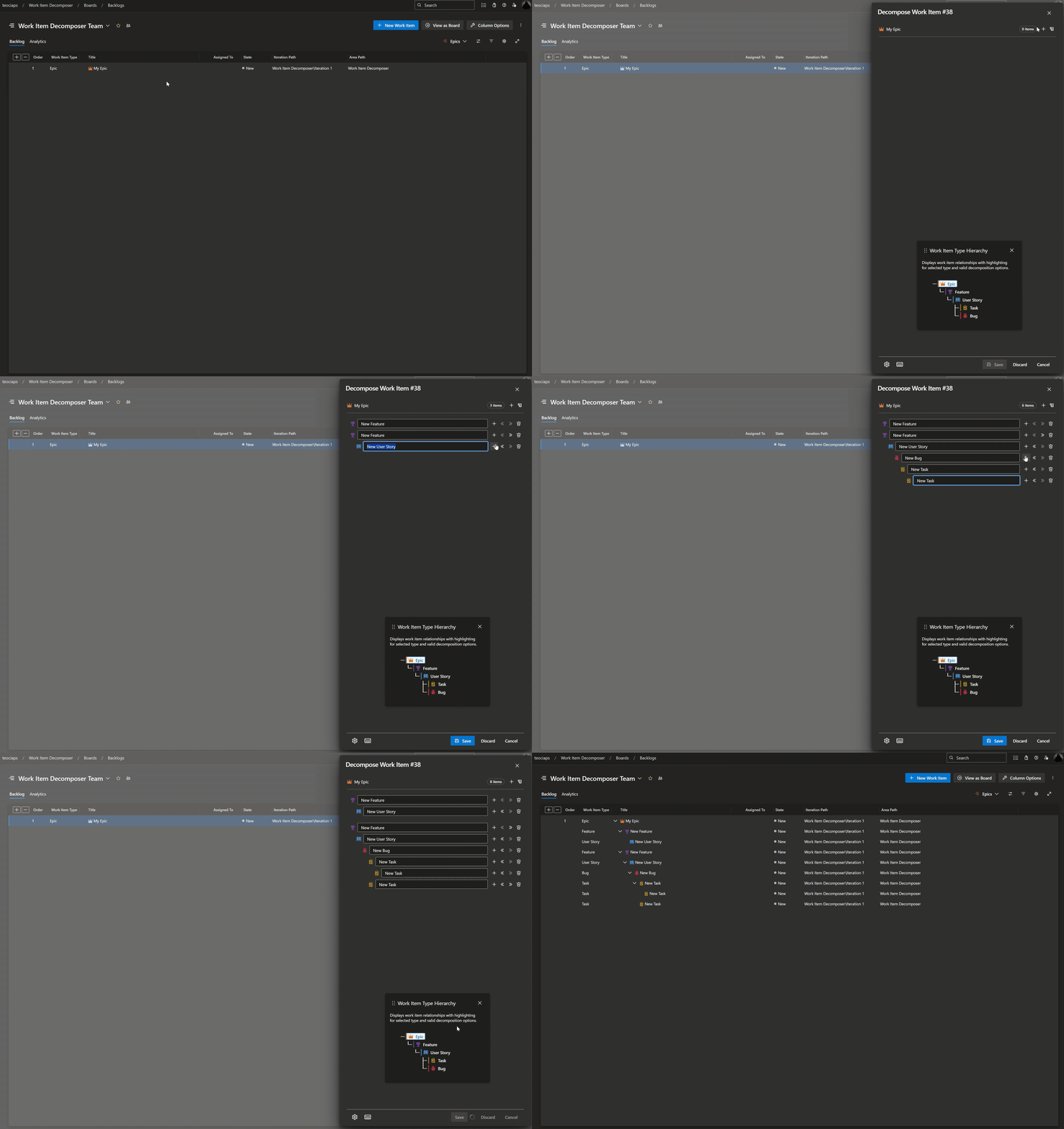
✅ Save Time - Create complex hierarchies in seconds, not minutes
✅ AI-Powered Planning - Paste AI-generated breakdowns for instant work item creation
✅ Stay Consistent - Build standardized structures every time
✅ Work Anywhere - Available in Boards, Backlogs, Sprints, and Queries
✅ Fully Customizable - Supports all work item types and processes
✅ Team-Specific Settings - Configure work item tags and assignments per area path
✅ Keyboard Friendly - Full keyboard navigation for power users
✅ Theme Aware - Beautiful in both light and dark themes
✅ Safe Operations - Configurable delete confirmation prevents accidental removals
Tip
Pro tip: Bookmark this page for quick access to essential information!
Ready to streamline your work item management? Install the extension and start decomposing! 🚀